

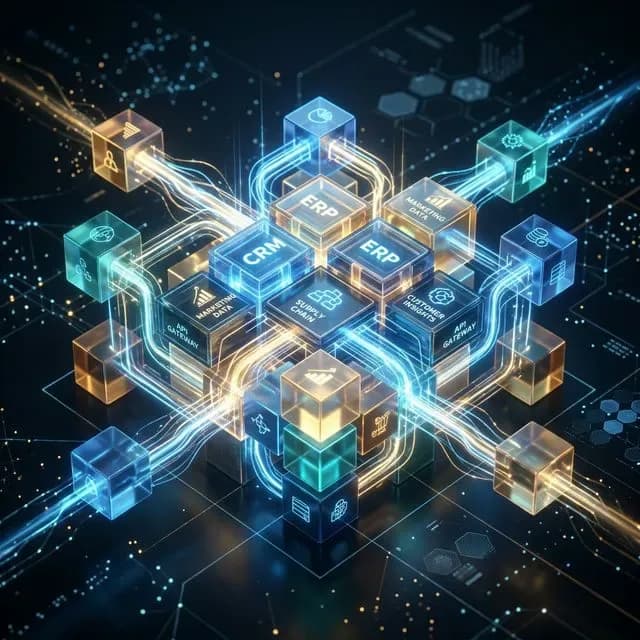
CRM ERP Integration Singapore for Connected Enterprise Systems
Connect customer-facing and operational systems without losing control of your data. Mobiloitte Singapore connects CRM and ERP processes through governed APIs, middleware and data synchronisation. Integration can cover sales, service, finance, inventory and fulfilment.
Every CRM ERP Integration Singapore for Connected Enterprise Systems project starts with discovery. We map your workflow goals, constraints, and current systems, then handle the full build cycle including testing and secure deployment.
We work with enterprises, government-linked groups, and fast-growing tech teams that need dependable handover and maintainable code. We also integrate with your existing vendors, legacy systems, and internal IT team.
You work directly with a dedicated delivery lead. When needed, we draw on engineering talent across the wider Mobiloitte network for faster delivery and regional scale.
CRM ERP Integration Singapore for Connected Enterprise Systems challenges
CRM systems manage pipeline, sales, and customer relationships, while ERP platforms manage accounting, inventory, procurement, and fulfilment. When these systems operate as disconnected silos, employees waste time copying data manually, errors proliferate, and decisions rely on stale information. Reliable CRM ERP integration requires clear data ownership, explicit contracts, deduplication rules, and real-time monitoring to prevent silent failure.
CRM ERP Integration Singapore for Connected Enterprise Systems outcomes
- Reduce manual data re-entry and duplicate records across enterprise systems
- Clear source-of-truth ownership over customer, order, pricing, and inventory data
- Monitored API and middleware integration architecture with automated exception queues
Get Started
CRM ERP Integration Singapore for Connected Enterprise Systems: Discuss your requirements
Speak with our Singapore team to map your requirements, architecture, and implementation timeline.

Enterprise CRM & ERP Systems Integration Services
Practical integration capabilities engineered for Singapore businesses and regional APAC operations.
- 01
Customer Master Synchronisation
Synchronise accounts, contact hierarchies, and billing information while defining explicit system ownership.
- 02
Quote-to-Order & Order-to-Cash
Convert approved CRM quotes directly into ERP sales orders with real-time status and fulfilment callbacks.
- 03
Product, Pricing & Inventory Sync
Expose authoritative ERP price books and real-time inventory availability to CRM sales representatives.
- 04
Invoice & Payment Visibility
Give customer-facing teams visibility into ERP invoice statuses, payment holds, and account balances.
- 05
Customer Service & Returns Integration
Equip support teams with full visibility into orders, warranties, shipping, and returns directly inside CRM cases.
- 06
Middleware & iPaaS Integration
Implement managed middleware or iPaaS layers (e.g. MuleSoft, Boomi) for scalable enterprise orchestration.
- 07
Event-Driven & API Integration
Build REST/SOAP APIs, webhooks, and event queues for real-time, near-real-time, or batch data flows.
- 08
Legacy System Integration
Build secure integration boundaries around legacy ERPs (SAP, Oracle, AS400) without forced platform replacement.

Our Professional Systems Integration Delivery Lifecycle
An 8-step engineering methodology from business process discovery to production observability.
- 01
Process Discovery
Map business journeys (lead-to-order, quote-to-cash, order-to-fulfilment) and system boundaries.
- 02
System & Data Assessment
Document applications, APIs, data models, customisations, existing integrations, and system owners.
- 03
Data Ownership Design
Define authoritative systems, shared fields, write permissions, matching rules, and conflict resolution.
- 04
Architecture Design
Choose appropriate API, middleware, event, webhook, or batch integration patterns.
- 05
Build & Transform
Implement interfaces, schema validation, data transformation, routing, and error queues.
- 06
End-to-End Testing
Test complete commercial journeys, duplicate records, API outages, retry logic, and performance thresholds.
- 07
Reconcile & Launch
Validate synchronised data before controlled production cutover and go-live.
- 08
Monitor & Improve
Track failure rates, throughput, latency, reconciliation exceptions, and business KPIs.
What Is CRM ERP Integration?
CRM ERP integration is the controlled exchange of data and business events between customer relationship management and enterprise resource planning systems.
The objective is not necessarily to merge both platforms. Each system keeps its defined role while approved information moves between them. For example, a CRM opportunity can create an ERP order. The ERP order number and fulfilment status can then return to customer-facing teams.
CRM (Front Office)
Owns leads, prospects, sales opportunities, marketing interactions, customer service cases, and commercial relationships.
ERP (Back Office)
Owns products, inventory, order processing, invoicing, procurement, accounting, fulfilment, and supply-chain logistics.
For insights into building advanced analytics on top of your integrated systems, read about our Data Platforms & Reporting Solutions.
Enterprise CRM ERP Integration Architecture
Engineering production system integration requires explicit system-of-record ownership, API contracts, middleware, and real-time observability.
- 01
Front-Office Layer (CRM)
Manages customer interactions, leads, sales pipeline, marketing activity, and customer service cases.
- 02
System of Record Ownership
Explicitly defines field ownership, source-of-truth, and read/write permissions for every shared domain.
- 03
API & Middleware Layer
Governed REST/SOAP APIs, iPaaS connectors, or middleware managing message routing and data transformation.
- 04
Event & Messaging Layer
Event-driven webhooks and message queues handling real-time, asynchronous, or batch data streams.
- 05
Validation & Transformation
Schema validation, field mapping, deduplication rules, and data cleansing before target system ingestion.
- 06
Back-Office Layer (ERP)
Manages accounting, inventory, order processing, invoicing, procurement, and supply-chain logistics.
- 07
Reconciliation & Recovery
Idempotency patterns, retry logic, exception queues, and automated data reconciliation.
- 08
Observability & Audit
Granular latency tracking, throughput dashboards, failure alerts, and immutable audit logs.
Key Benefits of Integrated CRM & ERP Systems
Reduce manual data re-entry, connect sales with operations, and streamline cross-system enterprise workflows.
Reduce Duplicate Data Entry
Reduce manual copying of customer, order and invoice records across separate applications.
Improve Data Consistency
Enforce defined synchronisation rules to ensure all teams work with identical, authoritative data.
Connect Sales with Operations
Give sales teams real-time visibility into ERP pricing, inventory availability, and order fulfilment.
Improve Customer Service
Equip customer support with live order status, invoice histories, delivery tracking, and returns context.
Support Enterprise Reporting
Combine commercial pipeline metrics with operational financial results for comprehensive executive analytics.
Automate Cross-System Workflows
Trigger downstream ERP order fulfilment and invoicing automatically upon CRM quote acceptance.
CRM ERP Integration Use Cases
Common cross-system integration patterns connecting sales, customer service, finance, and operations.
Customer Master Synchronisation
Synchronise customer accounts, hierarchy, and billing data between CRM and ERP with explicit write-permission boundaries.
Quote-to-Order & Order-to-Cash
Automatically convert approved CRM sales opportunities into ERP orders, returning order numbers and fulfilment statuses to sales teams.
Inventory & Pricing Visibility
Expose real-time or periodically refreshed ERP inventory levels and custom price lists directly to CRM sales representatives.
Invoice & Payment Status Sync
Provide sales and support teams with visibility into ERP invoice statuses, payment states, and account hold indicators.
Customer Service & Returns Management
Combine CRM case history with ERP warranties, deliveries, returns, and dispute management for end-to-end resolution.
Legacy ERP & CRM Modernisation
Build stable API and middleware boundaries around legacy systems to introduce modern workflows without forced platform replacements.
CRM ERP Security, Access Control & Data Governance
Designing technical safeguards, least-privilege access, and auditability across your enterprise integration landscape.
Least-Privilege Access
Integration services and user roles receive only the permissions required for their specific data domain.
Authentication & Secrets Management
API credentials, tokens, and integration keys are secured through enterprise vault practices.
Data Minimisation & Encryption
Only necessary fields move between systems, with encryption in transit and at rest.
Field Ownership Rules
Explicit source-of-truth definitions prevent bidirectional updates from creating conflicting records.
Deduplication & Matching Rules
Unique identifiers and matching algorithms prevent duplicate account and contact creation.
Singapore PDPA Alignment
Cross-system transfers of personal data follow Singapore PDPA guidelines and internal compliance policies.
Singapore PDPA & Cross-System Data Protection
For integration pipelines that process personal data, reviews consider Singapore Personal Data Protection Act (PDPA) obligations. Data movement, encryption, access and retention controls are assessed together. Legal and regulatory accountability remains with your organisation.
Why Choose Mobiloitte Singapore for Systems Integration?
Singapore delivery ownership, platform-agnostic architecture, and reliable master data governance.
Singapore Delivery Ownership
Work with a Singapore-focused delivery team that understands enterprise IT standards, compliance, and APAC operational needs.
Explore Singapore Delivery →Platform-Agnostic Middleware
We engineer direct APIs, middleware, or event buses based on your existing architecture rather than forcing single-vendor tools.
Why Mobiloitte Singapore →Relevant Delivery Experience
Explore real client case studies across systems integration, cloud platforms, mobile apps, and digital transformation in APAC.
View Client Case Studies →
CRM ERP Integration Singapore for Connected Enterprise Systems: Frequently Asked Questions
Straight answers on delivery, governance and day-to-day operations.
What is CRM ERP integration?
CRM ERP integration connects customer-facing CRM processes with ERP operational and financial processes so approved data can move automatically between both systems.
What is the difference between CRM and ERP?
CRM primarily manages customer relationships, leads, sales and service activity. ERP typically manages finance, orders, inventory, procurement, fulfilment and other operational processes.
Why should CRM and ERP be integrated?
Integration reduces manual data re-entry and gives departments appropriate visibility into customer, order, inventory, financial and fulfilment information.
Should CRM and ERP use the same customer record?
They can share customer information, but the organisation should define which system owns each record or field to prevent conflicting updates.
What data is commonly synchronised between CRM and ERP?
Common domains include customer data, products, prices, quotes, orders, inventory, invoices, payment status, fulfilment information and returns.
Should CRM ERP integration be real time?
Only where the business process requires it. Other information may be more efficiently synchronised using scheduled batches or event-driven updates.
What is bidirectional CRM ERP integration?
Bidirectional integration allows information to move in both directions. It should still use clear ownership rules so both systems do not make conflicting changes to the same information.
Is direct API integration better than middleware?
It depends on the number of systems, complexity, change frequency and operating model. Direct APIs can work well for simple environments, while middleware or iPaaS can help manage larger integration estates.
Can you integrate legacy ERP systems?
Yes, where supported integration mechanisms are available. Legacy systems may require APIs, database interfaces, file exchange, adapters or scheduled batch processes.
How do you prevent duplicate records?
We define matching keys, field ownership, validation, deduplication and conflict-handling rules and test them against representative business data.
What happens when one system is unavailable?
The architecture can use retries, queues, alerts, replay mechanisms and manual exception handling according to the integration pattern and business requirement.
How do you ensure data quality?
We use validation, transformation, reconciliation and monitoring so incomplete or inconsistent information can be identified rather than silently propagated.
Can CRM ERP integration support workflow automation?
Yes. Cross-system events can trigger approvals, notifications or workflows. Complex automation requirements can also connect to a dedicated workflow orchestration layer.
Can CRM ERP integration support AI systems?
Yes, but AI should consume governed enterprise information through approved interfaces. Reliable system integration and clear data ownership should come first.
How long does CRM ERP integration take?
Timeline depends on system complexity, API quality, customisations, data readiness, number of objects, security requirements, test environments and the number of business workflows being connected.
What affects CRM ERP integration cost?
Major factors include the number of systems, integration endpoints, data complexity, middleware requirements, custom ERP/CRM modifications, migration scope, testing and production-support requirements.
Do you document the integration for our internal IT team?
Yes. Documentation can include architecture diagrams, interface catalogues, data mappings, system ownership, operating procedures and runbooks according to the project scope.
Connect CRM and ERP Without Creating Another Integration Problem
Start with one high-value business journey. Define which system owns the information, which data needs to move, and what should happen when a workflow fails. Mobiloitte Singapore can help map the architecture, build the integration, validate data flows, and establish operational controls.